Subscriptions Control Panel: Subscribers
Subscribers lists the members who have at least one Subscription in any status. From here you can open a member’s Subscriptions, or make a one-off charge to one of their saved cards.
Subscribers list
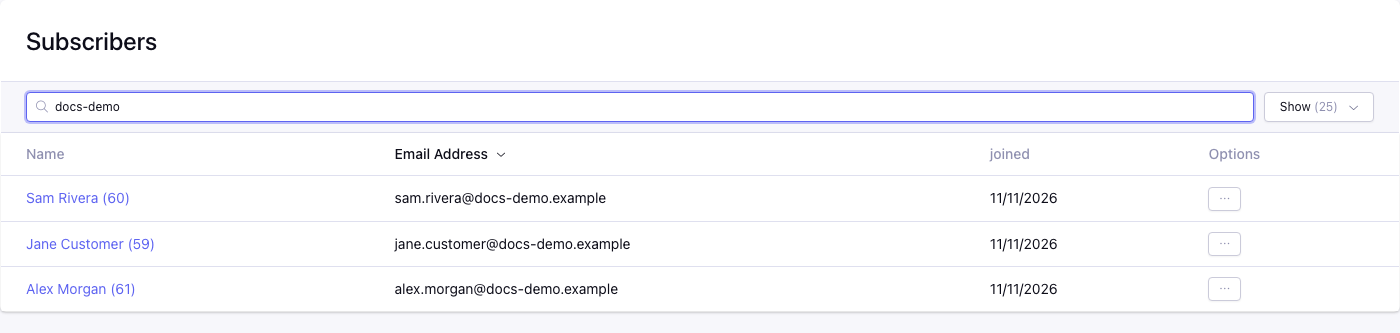
Control panel location: Add-ons > CartThrob Subscriptions > Subscribers
| Column | Shows |
|---|---|
| Name | Screen name and member ID, linked to the member profile. |
| Email Address | The member’s email address. |
| Joined | When the member joined. |
| Options | View Subscriptions and Charge. |
The list is sorted by email address, descending. Name, Email Address and Joined can be sorted. The keyword search matches part of the username, screen name or email address. Matching is case-sensitive. Use the per-page control to show 25 to 150 members.
View Subscriptions opens the member’s Subscriptions.
One-Time Charge
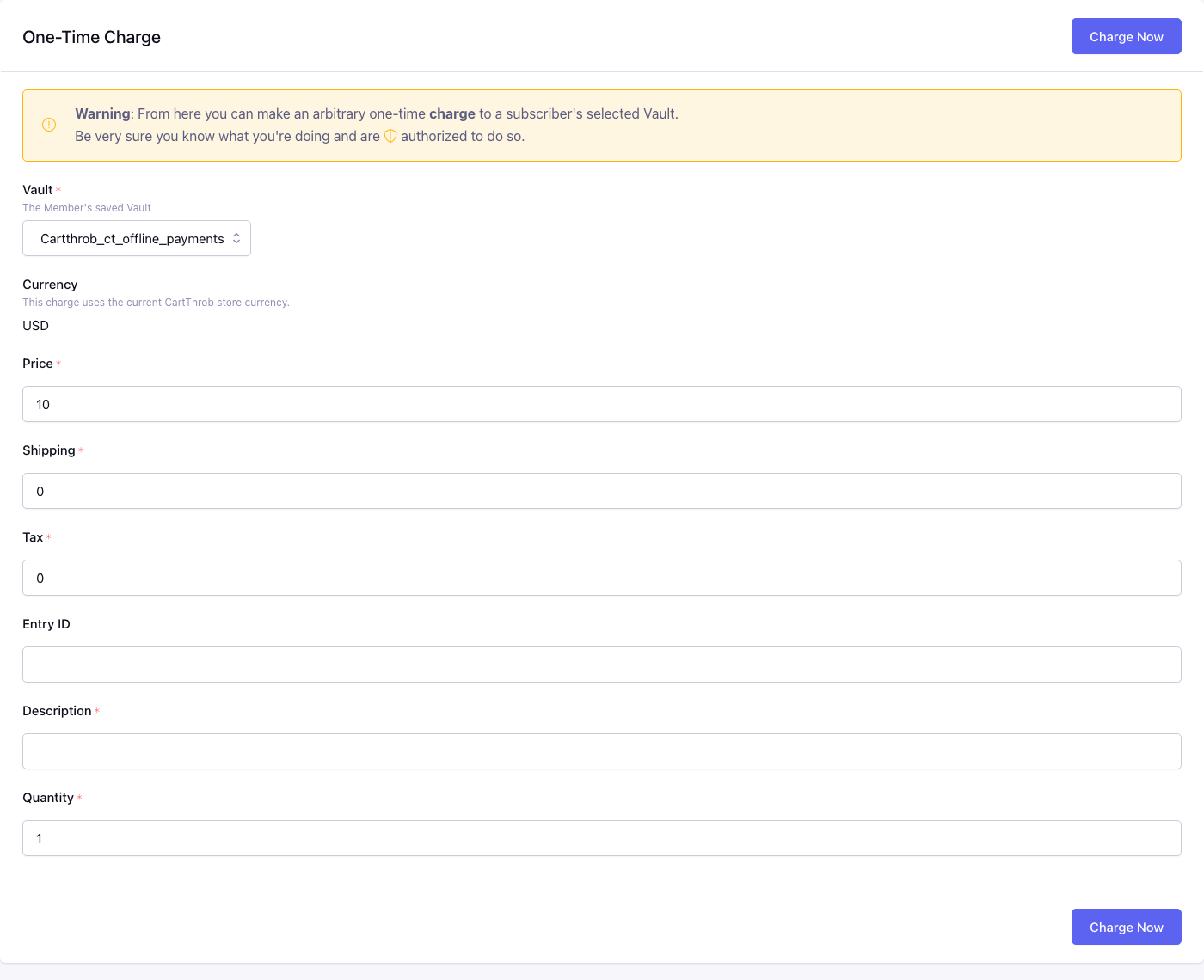
Control panel location: Add-ons > CartThrob Subscriptions > Subscribers > Charge
Charge any amount to one of the member’s saved cards, for example a setup fee or a one-off add-on. The screen warns: “From here you can make an arbitrary one-time charge to a subscriber’s selected Vault. Be very sure you know what you’re doing and are authorized to do so.”
This charge is not linked to any Subscription. It creates an Order for the member, but it doesn’t change any Subscription’s dates, occurrences, status or Last Order. To collect a Subscription’s renewal, use Charge Next Billing Now instead.
This is different from Charge Next Billing Now on a member’s Subscription list, which charges one Subscription and can advance its schedule. See Charge Next Billing Now.
Vault*
The saved card to charge. Only the member’s cards on a subscription-capable gateway are listed. Each is shown with its saved name, gateway, last four digits, expiry and Vault ID, so cards on the same gateway can be told apart.
Currency (read-only)
The charge uses the current store currency.
Price*, Shipping*, Tax*
The amounts to charge. Price is the amount for this charge, before shipping and tax. The total charged is Price + Shipping + Tax. Amounts must use the currency’s decimal places and can’t be negative. A total of zero is rejected.
The charge is recorded on the Order as a single item at the Price, so the item line matches the Order subtotal. To record what the charge was for, such as 3 replacement filters, use Description.
Entry ID
Optional product entry ID, recorded on the Order’s line item.
Description*
The line-item title on the Order, for example Setup fee.
Charging
Charge Now creates the Order, then charges the selected card through its own gateway.
- Success: “Subscriber Charged!”, the Order receives your default order status, and the
manual_billnotification is sent. - Decline: the gateway’s message is shown, and the Order is marked failed.