CartThrob Download fieldtype
Overview
The CartThrob Download field stores one download source and validates it when an entry is saved. Use it when a product’s download is not best represented by a normal ExpressionEngine File field but still needs CartThrob 10’s strict source validation.
When to use it
Prefer an ExpressionEngine File field when editors should choose a file from File Manager. File fields are automatically approved and retain ExpressionEngine’s managed, adapter-backed delivery for local or cloud storage.
Use CartThrob Download when an editor must enter one of these directly:
- a valid ExpressionEngine/CartThrob managed-file reference;
- an absolute local server path inside an approved download root; or
- an HTTP(S) URL on the site or an approved external origin.
Unlike a plain Text field, the CartThrob Download field is automatically approved as a download field and refuses an invalid or disallowed non-empty value at entry-save time. It does not provide a File Manager picker and it does not grant customer access by itself.
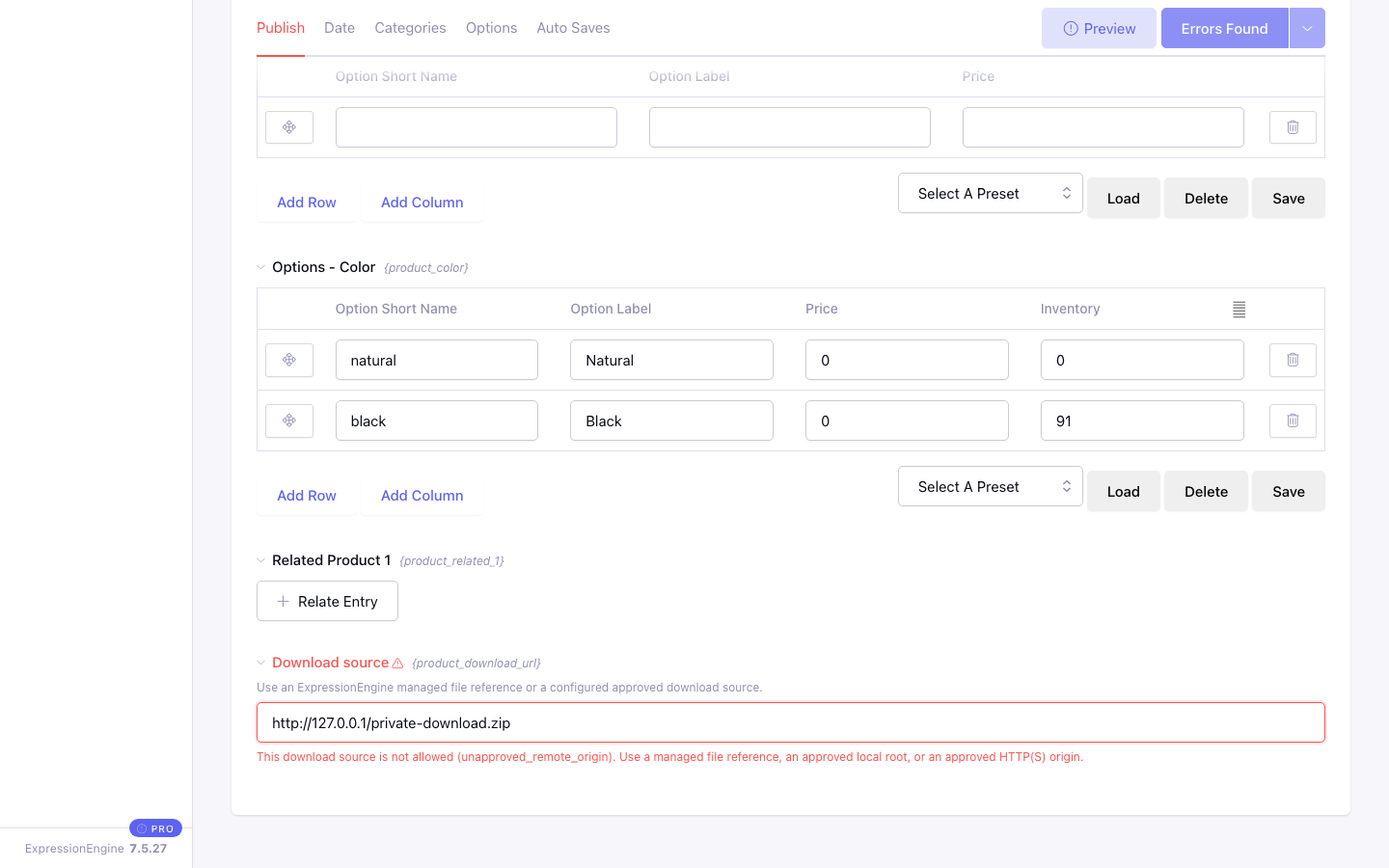
For example, a Text field would store the loopback URL below as ordinary text. CartThrob Download identifies it as an unapproved remote origin, explains the accepted alternatives, and prevents the entry from being saved:
Create the field
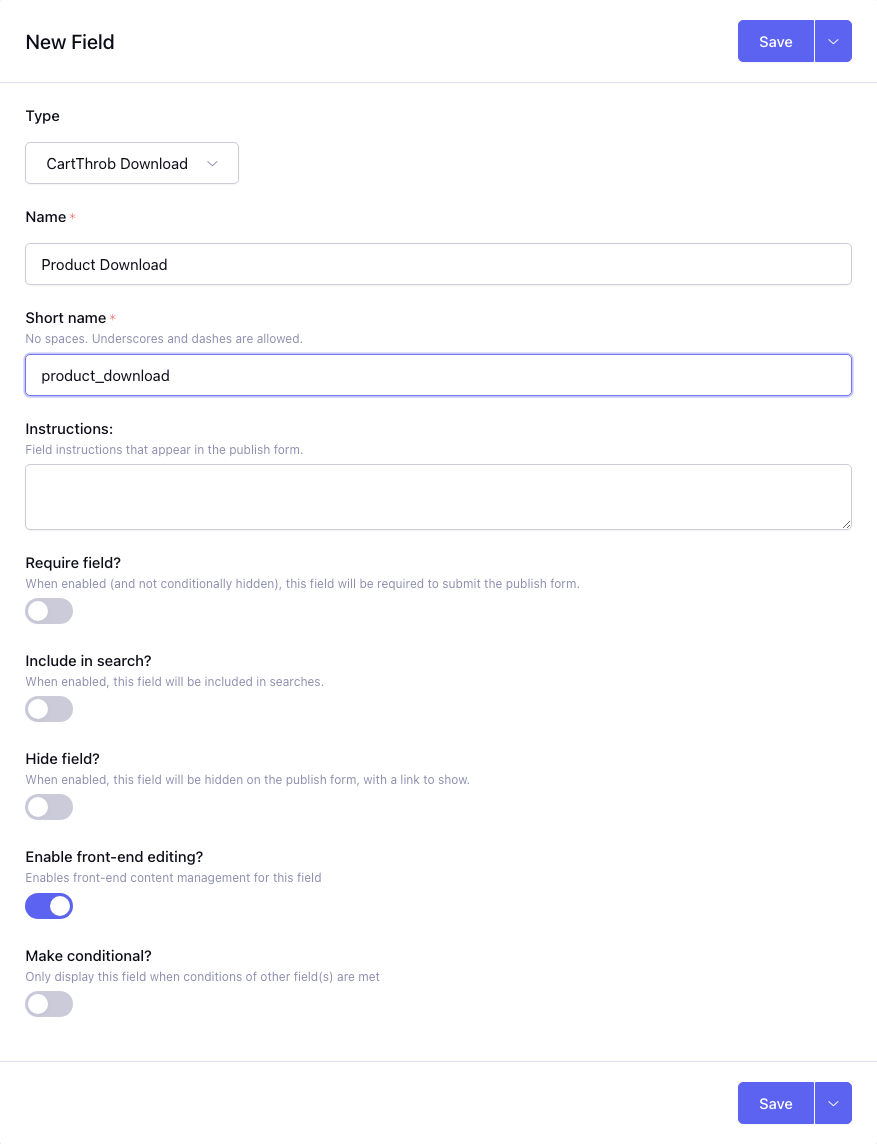
- In ExpressionEngine, open Developer → Fields.
- Create a field using the CartThrob Download fieldtype.
- Assign it to the Product channel.
- Enter one supported source per product.
- Reference the field short name with
field=and the product withentry_id=on a CartThrob download tag.
{exp:cartthrob:download_file_form
    field="product_download"
    entry_id="{entry_id}"
    member_id="CURRENT_USER"}
    <button type="submit">Download</button>
{/exp:cartthrob:download_file_form}
Keep the form inside the site’s purchase/member check. The fieldtype validates the source, not the customer’s entitlement.
Validation on save
Blank values are allowed. A non-empty value must satisfy its source type:
| Value type | Save requirement |
|---|---|
| Managed file reference | The reference must use supported syntax and resolve to an available managed file. |
| Absolute local path | The file must exist, be readable, and resolve inside cartthrob_download_roots. |
| Same-site public URL | The URL must be valid HTTP(S). |
| External public URL | The exact origin must appear in cartthrob_download_origins. |
| Exact local-development site URL | cartthrob_download_allow_local_site_url must be enabled. |
Relative paths, traversal, control characters, stream wrappers, protocol-relative URLs, URL credentials, malformed hosts/ports, and private or reserved network destinations are rejected.
Validation happens again when CartThrob resolves and delivers the source. A value that was valid when saved can still fail later if a file is removed, permissions change, DNS changes, an external redirect leaves the approved policy, or configuration is tightened.
Configuration examples
The examples below show the common single-site form. See Configuration Overrides for every download setting, MSM forms, exact-origin behavior, and security constraints.
$config['cartthrob_download_roots'] = [
    '/srv/private-downloads',
];

$config['cartthrob_download_origins'] = [
    'https://downloads.example.com',
];
The fieldtype itself does not need to be listed in cartthrob_download_fields. That setting exists for intentional legacy Text or other custom fieldtypes.
Use the smallest local root that contains the intended files. For a remote source, approve only the exact origin, including a nondefault port. Every redirect must remain allowed.
Choosing between managed files, paths, and URLs
- Managed File Manager file: best default. Editors get File Manager, cloud adapters remain supported, and raw path/origin configuration is unnecessary.
- Private absolute path: useful for large local files stored outside the public web root. The PHP process must be able to read the file.
- External HTTPS origin: useful when an established public file host serves the content. CartThrob validates and pins public network destinations during delivery, so redirects and DNS must remain compatible.
- Same-site URL: valid, but less efficient than a managed file or local path because CartThrob must retrieve it over HTTP. Do not use the local-development exception in production.
Migrating a Text field
For an upgraded store:
- Run Version Review → Downloadable Products → Tag Review to find every template using the old field.
- Run Field Review to inspect its stored values.
- Create an ExpressionEngine File field or CartThrob Download field and migrate the intended values.
- Update each tag’s
field=short name if it changed. - Test a purchased download and an unauthorized request.
- Remove the old field from
cartthrob_download_fieldsafter no tag uses it. - Rerun Version Review in strict mode.
If the Text field must remain, list its exact channel and field ID in cartthrob_download_fields; its individual values must still pass the source policy.