Notifications
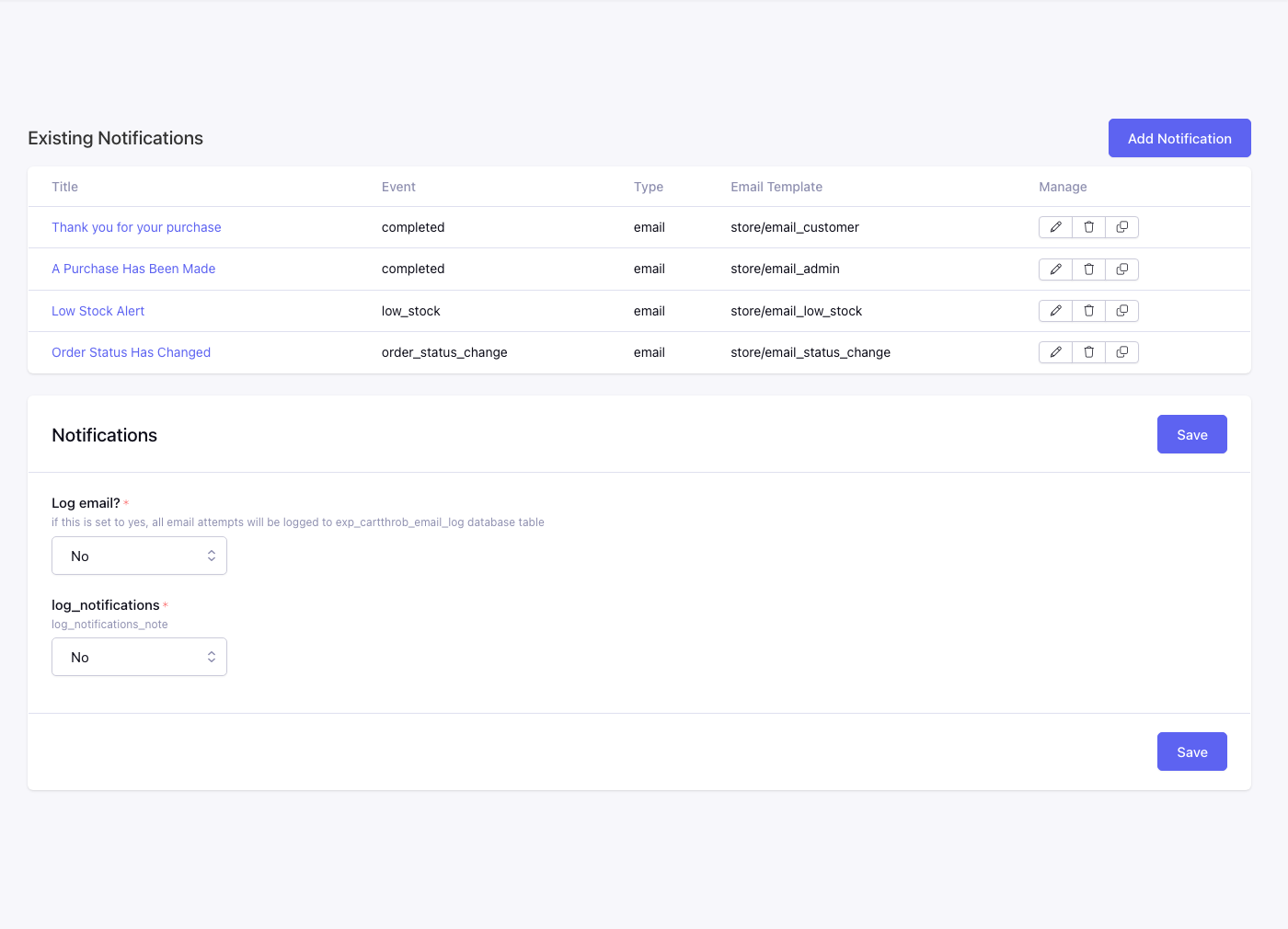
This page lists notification rules that send emails or trigger other notification actions during checkout events.
Fields
Log Email*
Controls whether CartThrob records email send attempts in the email log, and whether those emails are actually sent.
Available options are:
No- skip email logging.Log without sending- record the email without sending it.Log and send- record and send the email.
Log Notifications*
Controls whether CartThrob records notification activity, and whether notification actions are sent.
Available options are:
No- skip notification logging.Log without sending- record notification output without sending it.Log and send- record and send notifications.
Notification rules
Each row is one notification. Manage edits trigger event, template, and recipients.
Columns: Title, Event, Type, Email Template, Manage.
Payment-review notifications
With CartThrob 10 payment reconciliation,
the existing Processing event also handles payments requiring merchant review.
Create a Processing notification for the intended recipients; CartThrob does
not create one automatically. Branch on payment_review in its template so
these messages do not ask a customer who may already have paid to send another
payment. See Processing notifications for payment review
for the available variables and an example.