Payments
This page configures payment gateways and their settings for processing checkout payments.
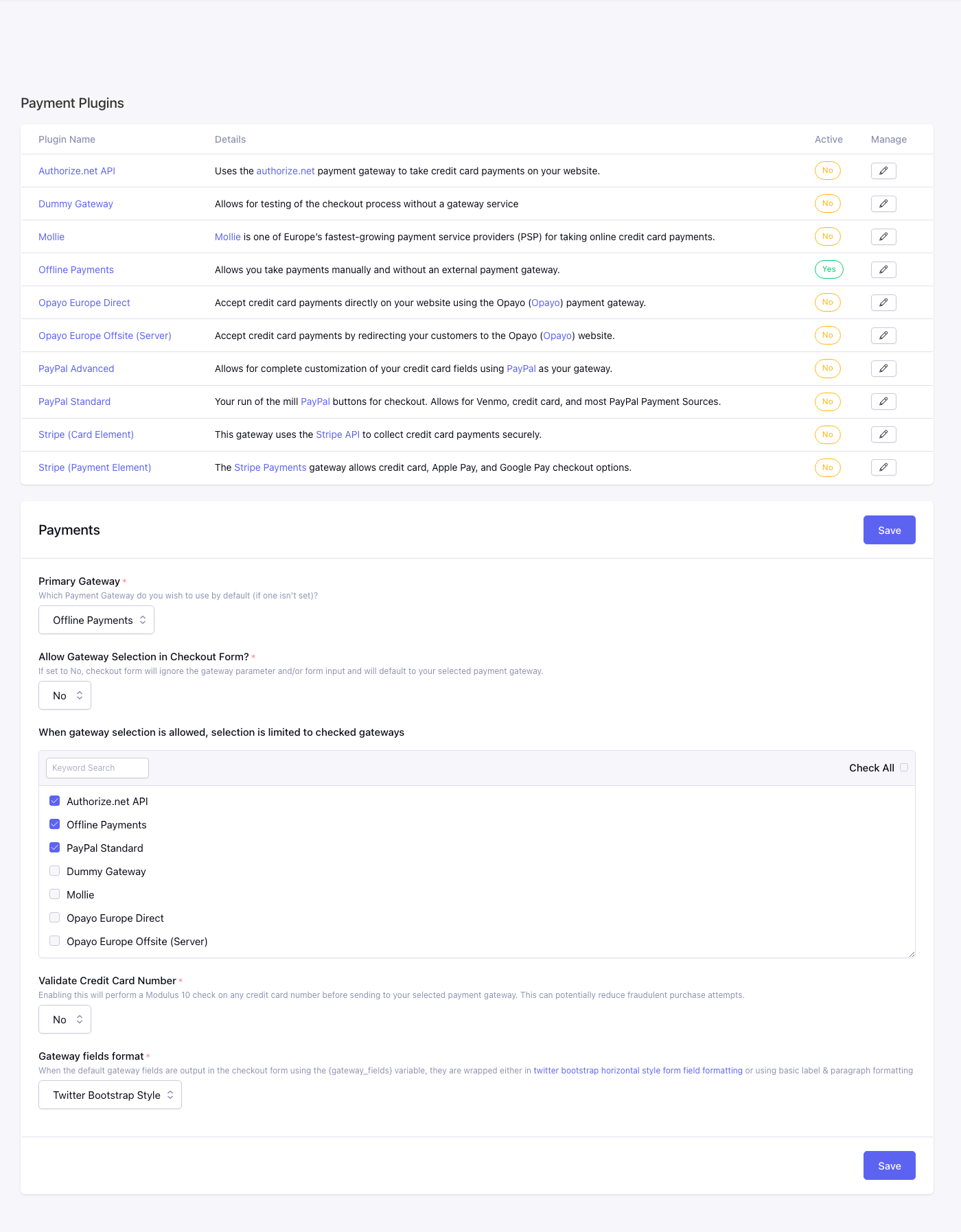
Fields
Payment Gateway*
Sets the default payment gateway CartThrob uses when checkout does not explicitly choose another allowed gateway.
The available gateway in this capture is Offline Payments.
Allow Gateway Selection*
Controls whether checkout forms may choose a gateway by passing a gateway value.
Choose Yes if your checkout lets customers or templates select from multiple
gateways. This does not add a selector to the storefront. Your checkout
template must also render
gateway_select or equivalent
gateway controls. Choose No to ignore gateway form input and always use the
default gateway.
Available Gateways
Limits which gateways can be selected when gateway selection is enabled.
Check the gateways that checkout forms are allowed to use. This setting is required when gateway selection is enabled.
For a gateway to appear and work at checkout, it must be:
- enabled and configured as a payment plugin;
- checked in Available Gateways; and
- rendered by the storefront template.
For gateways with hosted JavaScript fields, prefer a reload-based selector that mounts only the chosen gateway’s scripts and fields. See Allow the customer to select a gateway.
Modulus 10 Checking*
Validates credit card numbers with a Modulus 10 check before sending payment data to the selected gateway.
Choose Yes to reject obviously invalid card numbers earlier in checkout. Choose No to leave card-number validation entirely to the gateway.
Gateways Format*
Controls the markup style used when checkout templates output default gateway fields with {gateway_fields}.
Choose Twitter Bootstrap Style for Bootstrap-style horizontal form markup, or Plain for simpler label and paragraph markup.
Payment plugins
Installed gateways. Active must be Yes for checkout to offer the gateway (also subject to Available Gateways on this page). Manage opens gateway credentials and options.
Columns: Plugin Name, Details, Active, Manage.