Products
Product channel behavior and the channel list at the bottom of this screen.
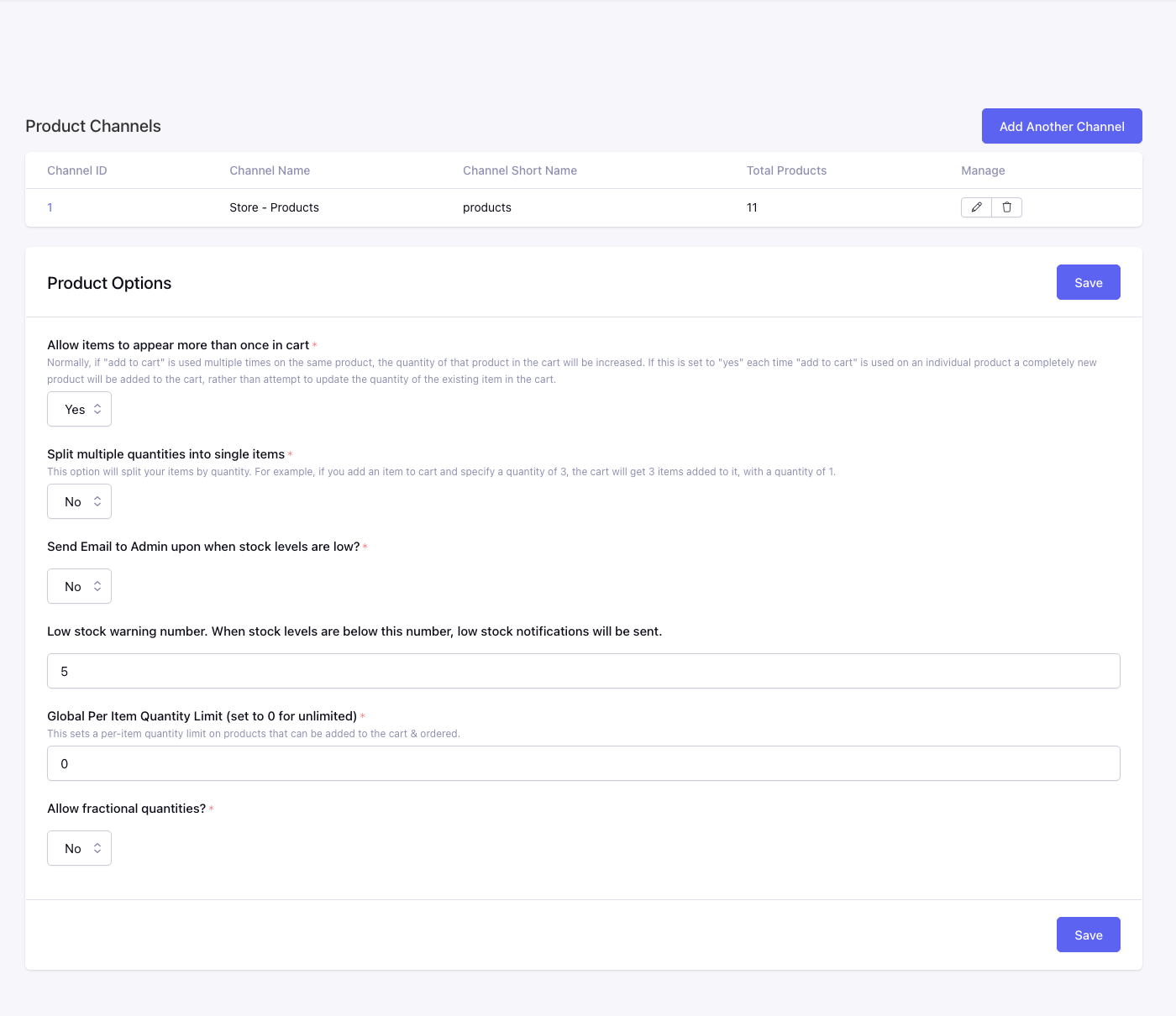
Fields
Allow Products More Than Once*
No: adding the same product again increases quantity on the existing row. Yes: each add creates a separate cart row — needed when the same product can have different options or personalization per row.
Product Split Items By Quantity*
Yes: quantity 3 creates three cart rows with qty 1 each. No: one row with qty 3.
Send Inventory Email*
Yes: emails admins when stock drops below Low Stock Level.
Low Stock Level*
Threshold for low-stock emails.
Global Item Limit*
Max quantity per product per cart. 0 = no limit.
Allow Fractional Quantities
Yes: decimal quantities (weight, length, etc.). No: whole numbers only.
Product channels
Each row is a product channel. Manage maps price, weight, inventory, and shipping fields for that channel. Total Products is a live count.
Columns: Channel ID, Channel Name, Channel Short Name, Total Products, Manage.
Each channel has one Inventory mapping. It can point to a product-wide number/text field, a Price Modifiers field for stock per choice, or a Price Modifiers Configurator field for stock per complete configuration/SKU.
Per-channel field mapping is documented on the Edit Product Channel screen.