Offline Payments Settings
Use Offline Payments for checks, invoices, phone payments, or other payments handled outside an online processor.
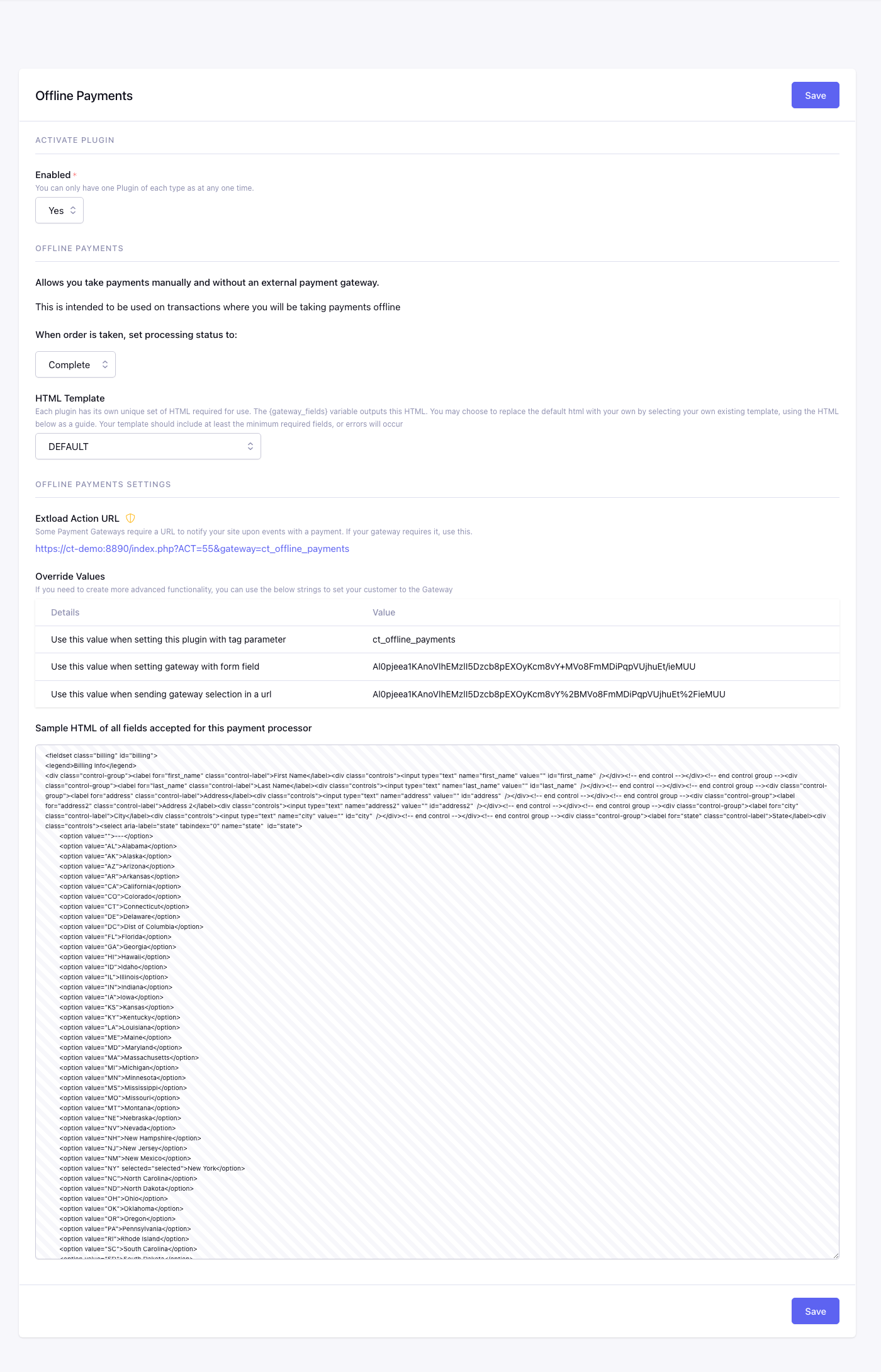
Fields
Enabled
Checkout uses this plugin only when Yes.
Processing Status
Selects the checkout outcome returned by this gateway. This is separate from the ExpressionEngine entry-status mappings in CartThrob’s Orders settings.
| Choice | Checkout behavior |
|---|---|
| Complete (default) | Accepts the order locally and runs normal successful-checkout processing. No money is collected by this gateway. |
| Processing | Records an order awaiting offline handling. Use this when a check or invoice payment is still outstanding. |
The dropdown also contains Declined and Failed. In the current beta 6 implementation, those choices still return an authorized result with an offline-processing message. Do not use them to simulate a rejected payment or to hold an unpaid order; use Processing for the latter.
Gateway Fields Template
EE template used by {gateway_fields} and {selected_gateway_fields}.
When configured, this template replaces CartThrob’s complete default gateway output. It must include every required customer field and gateway integration element. Do not render the custom output together with duplicate inputs using the same names or IDs. See Gateway-generated fields and inline errors.
Settings summary
Read-only view of saved plugin values. Edit in the form above.
Checkout behavior
Offline Payments does not contact an external processor or detect receipt of a check. For a payment that is still outstanding:
- Enable Offline Payments and choose Processing.
- Enable Save Orders and configure the order channel if you need a persistent order record.
- Set
processing_redirecton your checkout form to a page explaining where to send payment and what reference to include. - Configure a Processing notification if the customer or merchant should receive email, then verify the offline payment before fulfilling the order.
Processing clears the cart and uses the Processing response/redirect. It does not run the successful-checkout inventory deduction or permission grants. Ordinary Processing hooks, notifications, and configured purchased-item statuses still apply. Choosing Complete instead treats the order as accepted immediately; it is not confirmation that an offline payment arrived.
CartThrob 10 payment reconciliation uses Processing for a different reason: money was collected but the order needs review, or the payment outcome is unknown. Those special holds have additional fulfillment and payment-action restrictions. An ordinary check awaiting payment does not automatically create a reconciliation incident.