CartThrob Shipping Plugins Edit Cartthrob Shipping By Location Quantity Threshold
Quantity thresholds count only shippable units: a product mapped as Shipping Exempt (through the Product Channel Shipping Exempt field) does not count toward the threshold.
This page configures shipping methods and the plugin settings used to calculate shipping during checkout.
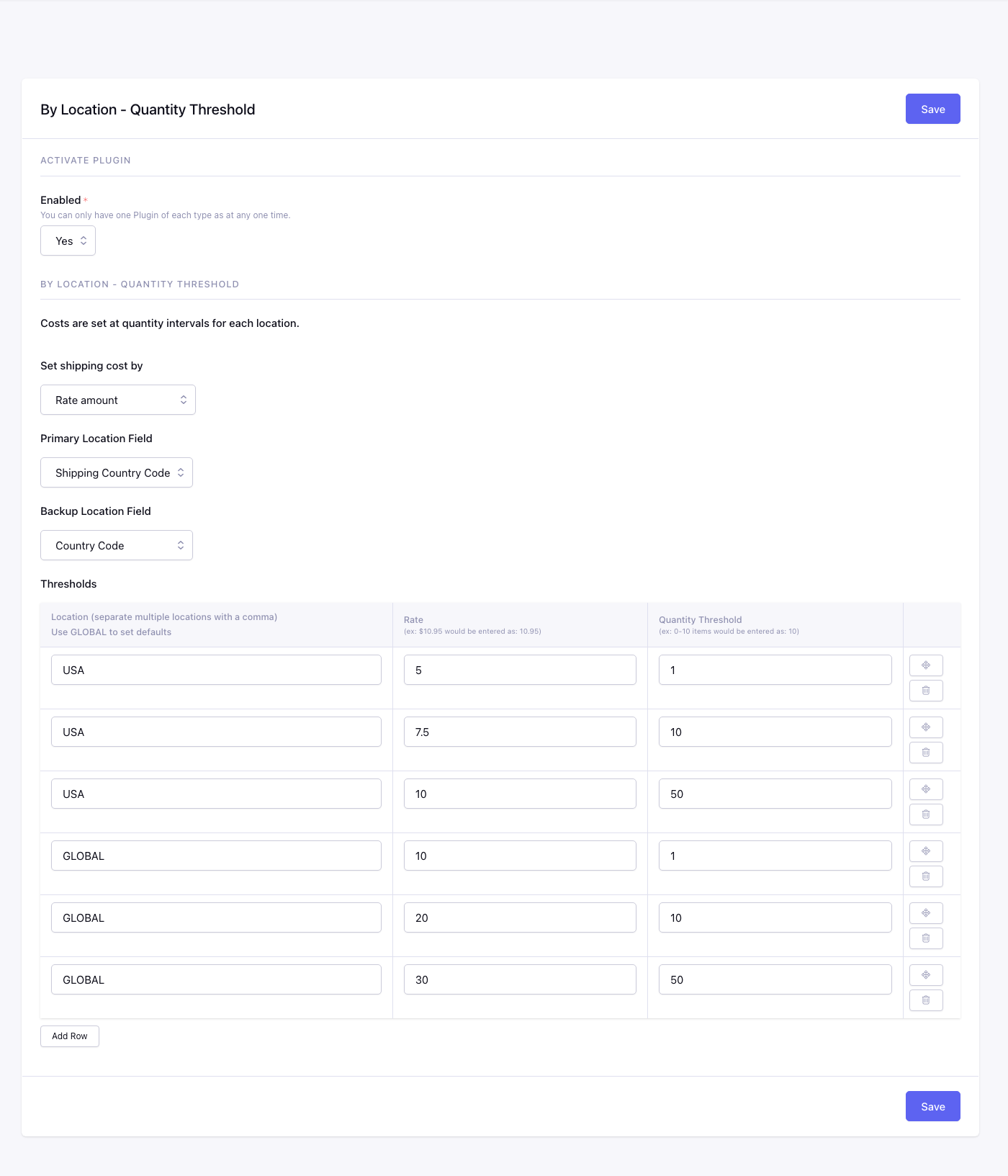
Fields
Enabled
Checkout uses this plugin only when Yes.
Mode
Controls how the matched shipping rate is applied during calculation.
Available options are Rate amount, Rate amount * cart total.
Location Field
The dropdown lists billing and shipping location fields, including zip, state, region, and country code values.
Backup Location Field
The dropdown lists billing and shipping location fields, including zip, state, region, and country code values.
Location (separate multiple locations with a comma)Use GLOBAL to set defaults
Sets the location code or value matched by this shipping threshold row. Use comma-separated values for multiple locations, or GLOBAL for a default row.
Location (separate multiple locations with a comma)Use GLOBAL to set defaults
Sets the shipping rate used when this threshold row matches.
Location (separate multiple locations with a comma)Use GLOBAL to set defaults
Sets the cart total, quantity, or weight threshold where this row begins to apply.
Location (separate multiple locations with a comma)Use GLOBAL to set defaults
Sets the location code or value matched by this shipping threshold row. Use comma-separated values for multiple locations, or GLOBAL for a default row.
Location (separate multiple locations with a comma)Use GLOBAL to set defaults
Sets the shipping rate used when this threshold row matches.
Location (separate multiple locations with a comma)Use GLOBAL to set defaults
Sets the cart total, quantity, or weight threshold where this row begins to apply.
Settings summary
Read-only overview (Location (separate multiple locations with a comma)Use GLOBAL to set defaults`, `Rate (ex: $10.95 would be entered as: 10.95)`, `Quantity Threshold (ex: 0-10 items would be entered as: 10)). Not the main save form.