Customer Report
Customer Report groups saved orders by customer identity so staff can review order frequency, value, and recency.
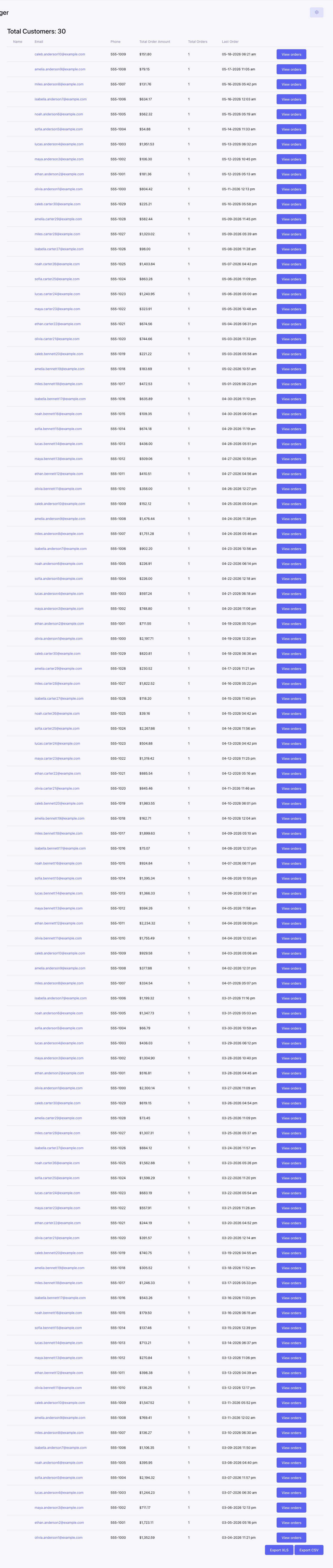
How customers are grouped
The report relies primarily on customer information saved with each order. Orders placed with different email addresses can appear as different customer rows even when they belong to the same person. Guest orders and older orders may have no member association or may have blank optional fields.
Columns
| Column | Description |
|---|---|
| Name | Saved customer name; member-linked names can open the member profile. |
| Saved customer email address. | |
| Phone | Saved customer phone number when available. |
| Total Order Amount | Combined value of the customer’s matching orders. |
| Total Orders | Number of matching orders for the customer. |
| Last Order | Most recent matching order date. |
| View orders | Opens Order Report filtered to that customer. |
Export
CSV and XLSX actions export the complete customer result set rather than only the visible page. Optional values can be empty and should not be treated as a failed report.
Use exported customer data according to the site’s privacy, retention, and marketing-consent requirements.